Every product follows one path to proof.
Configure the product, send it to proof, and keep it ready to reorder through one Divinipress relationship.
Nothing prints until you approve.
Your proof is the mockup of your order. Review every detail before anything goes to print.
From artwork to approval, one place.
Submit your artwork
Send your file with product, color, and quantity. Your proof starts here.
We run a production check
Pre-press flags anything that won’t print clean, before it reaches you.
You review every detail
The mockup comes back. Check every detail, especially the text.
Approve or request changes
Approve as-is, or request changes. Nothing moves until you do.
Approved and locked to My Products
Specs lock to My Products. Reorder anytime: no new proof.
Request revision
Describe what needs to change. You can also attach reference files.
Revision notes
Move the logo up 1 inch and center it. Make the footer text smaller.
Product sent for proofing.
Check back in 48 hours.
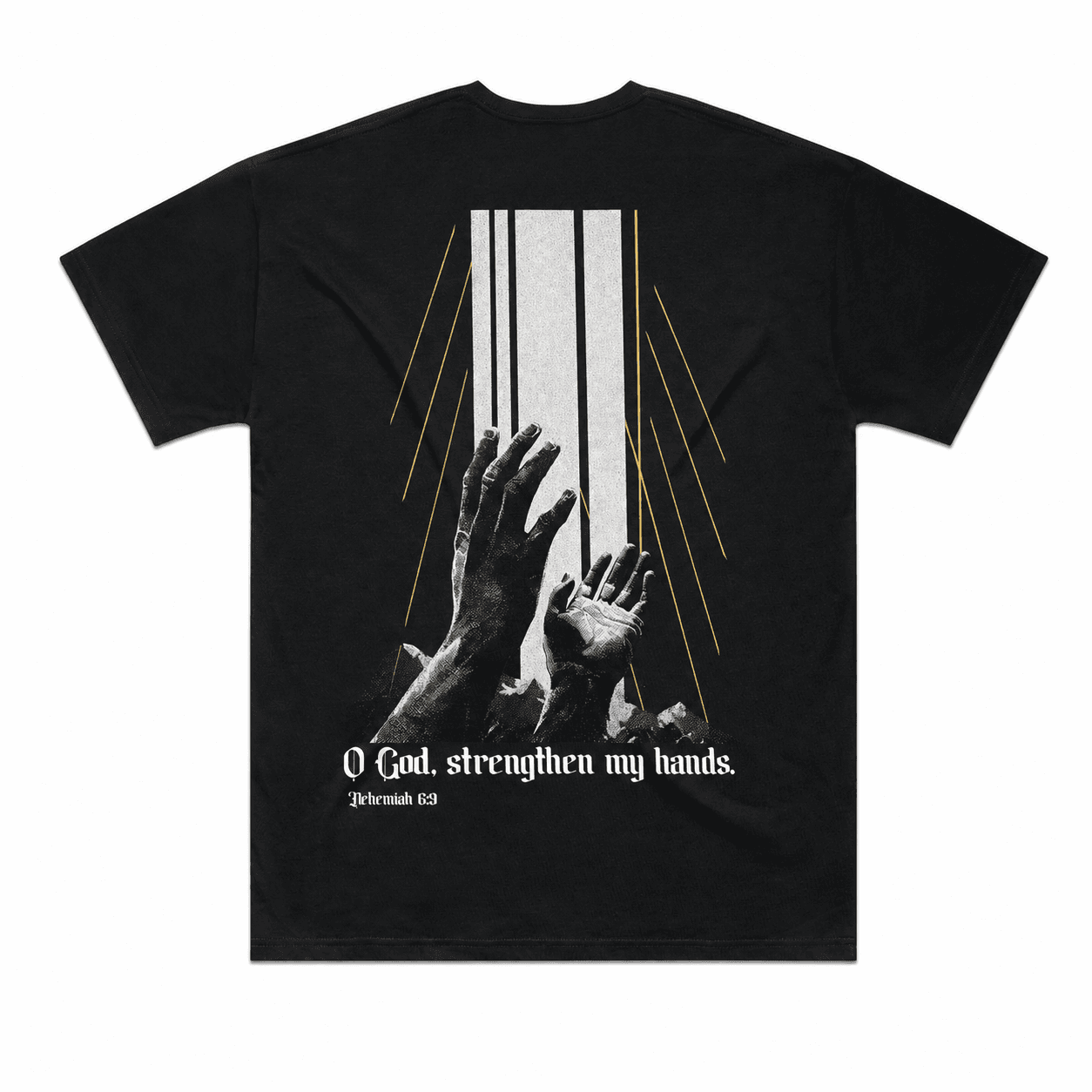
HS26 Fundraiser T
AS Colour 5069
Download Your Proof
Review colors, text, and layout at full resolution.
233450-EPROOF-Ver2.pdf
0.8 MB
Production check
02 of 04 reviewed- We fixed this for youGot it✓Converted RGB to CMYK
- We fixed this for youGot it✓Added bleed at the trim edge
- Confirm before we printPrint it as-isLow-resolution elements
- Confirm before we printPrint it as-isArtwork near the safety zone
2 more to review before you can approve.
Name it for your team
My Products
Ordered 4×
Outreach Tee
Locked proof · reorder anytime
Proofing, answered.
What we check, what happens when something’s wrong, and who gets to approve.
What do you actually check on a proof?
Production readiness: bleed, color space (CMYK), low-resolution images, and basic issue callouts like misspellings. We list everything we flag or fix on the proof itself. It’s a print-readiness check, not a design service; we don’t redraw your artwork.
What happens if something’s wrong with my file?
It depends on the issue. If it’s something we can fix, like adding bleed, we fix it and tell you what we changed. If it needs a new file, like a logo that’s too low-res to print clean, we flag it as a Critical Alert and hold the proof. The Approve button stays disabled until you replace the flagged file.
Who can approve a proof?
Admins and Designers can order any product your organization has, so they can review and approve proofs. Staff order from collections their team has been given and don’t approve proofs. Approving is a leadership action, kept with the people who own the account.
Can I request changes if I’m not happy?
Yes. Request changes right from the proof, tell us what to fix in your own words, and we’ll send a new proof for review. You’re never forced to approve a proof you’re not happy with to keep an order moving.
Can I change a product after it’s approved?
An approved product is locked with its artwork, color, and specs so reorders stay consistent. If you need a real change, like new artwork or a different color, that’s a new proof, and we’ll run it through the same production check before it’s approved again.
What file formats should I send?
Send the highest-quality file you have. A print-ready vector or high-resolution file gives the cleanest result. If your file isn’t print-ready, the production check will tell you what it needs, and templates are available to make submitting artwork easier.
Does every order need a new proof?
No. Once a product is proofed and approved, it reorders with no new proof. Simple reorders that only change size and quantity typically don’t need a new proof. Most net-new items are proofed before production.
See your first proofbefore anything prints.
Submit your artwork and we’ll run the first production check.